Tuesday, July 14, 2026
How to Choose Office Days for a Hybrid Team (+ Worksheet)


To choose office days for a hybrid team, collect each person’s availability, identify the collaborators whose work benefits from being together, score the viable days, and pilot the best option for four weeks. The office-day overlap worksheet below makes that decision repeatable without treating raw attendance as the goal.
What office-day overlap means
Attendance tells you how many people plan to be onsite. Co-presence tells you whether the people who need to work together will actually be there together. Those are different measures.
A study of 17 agile teams in one large telecommunications company found substantial variation in co-presence. Using office access-card data, the researchers observed that high average office presence did not necessarily mean teammates met frequently in person.
That distinction is practical: a busy building can still deliver a low-value office day for a particular team. The goal is not maximum headcount. It is enough overlap among the people whose current work benefits from being together.

The office-day overlap worksheet at a glance
The worksheet uses two inputs and one guardrail:
- Availability. Each person marks every candidate day as preferred (2), possible (1), or unavailable (0).
- Critical pairs. List the pairs of people who need recurring in-person time for a specific purpose, such as pairing, mentoring, planning, or review.
- Capacity. Treat desks, rooms, equipment, accessibility, and office opening constraints as pass/fail guardrails rather than hidden assumptions.
Then calculate three values for each candidate day:
- Availability score = points earned ÷ (2 × number of team members) × 100.
- Critical-pair coverage = critical pairs whose two members can both attend ÷ total critical pairs × 100.
- Office-day overlap score = (0.4 × availability score) + (0.6 × critical-pair coverage).
The 40/60 weighting is an Officedays planning default, not a validated research benchmark. It gives the collaboration map slightly more influence than raw preference. Agree different weights before scoring if your team has a different priority.
How to choose office days for a hybrid team
1. Define the purpose of being together
Write down two or three outcomes the office day should enable. Good answers name work, not atmosphere: onboarding a new teammate, resolving a cross-functional dependency, running a design critique, rehearsing a client presentation, or holding a planning workshop.
If the purpose is vague, the scoring inputs will be vague too. “Collaboration” is not yet a purpose; “the product manager and designer review prototypes together every week” is.
2. Collect preferences and constraints separately
Ask each person to score the candidate days with 2, 1, or 0. A preferred day and a merely possible day should not look identical in the worksheet. Do not ask people to disclose personal explanations; the scheduling decision only needs the constraint.
Use a defined decision period, such as the next four or eight weeks. That keeps a temporary project need from silently becoming a permanent rule.
3. Map the critical pairs
A critical pair is a pair of people whose work currently benefits from recurring co-presence. One person can appear in several pairs, and the list can include cross-functional collaborators outside the immediate team.
- A new hire and their onboarding partner.
- An engineer and designer working through a high-ambiguity feature.
- A workplace lead and team lead preparing a large in-person session.
- Two operators who need the same specialist equipment.
Keep the list specific and reviewable. It is a planning input, not a map of who matters most.
4. Score each candidate day
Calculate the availability score first, then the critical-pair coverage, then the weighted composite. Do not change the weights after seeing the answer. If the result feels wrong, inspect the inputs and explain what is missing.
5. Apply capacity and fairness guardrails
A high score does not override a full office, unavailable meeting rooms, or an exclusion that makes the day impractical. Mark those days as failing the guardrail and compare the next viable option.
For a tie, use a transparent tie-breaker: the day with fewer unavailable people, the day with better room capacity, or a rotating day across trial periods. Record the rule before the final choice.
6. Run a four-week pilot
Official New Zealand public-service guidance says teams working flexibly should talk regularly about how arrangements are working and record team norms for location visibility, communication, and review.
A pilot turns that principle into a reversible decision. Announce the day, the outcomes it is meant to support, the exception process, and the review date. Then collect a small set of observations instead of treating attendance alone as success.
A 2024 randomized trial followed 1,612 Trip.com employees in Shanghai across engineering, marketing, and finance roles. In that setting, two work-from-home days per week reduced attrition by one-third relative to the control group’s base rate, while the study found no damaging effect on performance. It does not identify a universally best weekday; it shows why a defined schedule can be tested against explicit outcomes.
Worked example: a five-person team
A five-person team is comparing Tuesday, Wednesday, and Thursday. Its availability grid uses 2 for preferred, 1 for possible, and 0 for unavailable:
- Ari: Tuesday 2, Wednesday 1, Thursday 0.
- Bo: Tuesday 1, Wednesday 2, Thursday 1.
- Chen: Tuesday 2, Wednesday 0, Thursday 2.
- Dee: Tuesday 1, Wednesday 1, Thursday 2.
- Eli: Tuesday 2, Wednesday 2, Thursday 0.
The team lists four critical pairs: Ari–Bo, Ari–Eli, Bo–Dee, and Chen–Dee.
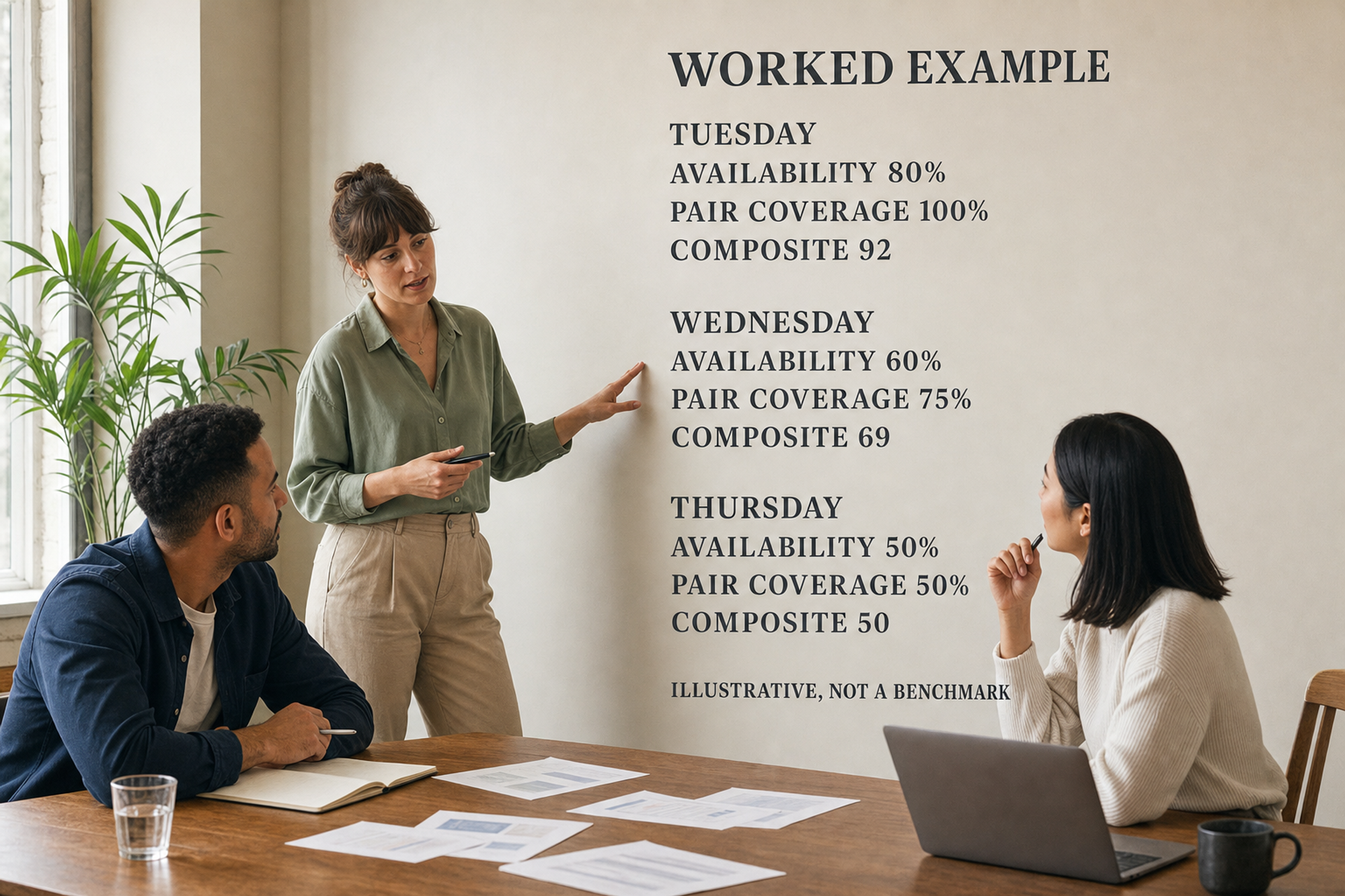
Tuesday earns 8 of 10 possible availability points, so its availability score is 80%. All four critical pairs can attend, so critical-pair coverage is 100%. The composite is (0.4 × 80) + (0.6 × 100) = 92.
Wednesday scores 60% for availability and covers three of four critical pairs, or 75%, for a composite of 69. Thursday scores 50% on both measures, for a composite of 50. Tuesday is the best fit in this illustrative worksheet, subject to capacity and other guardrails.
Copy-and-use office-day planning template
Decision frame
- Team and office: ____________________
- Trial dates: ____________________
- In-person outcomes: ____________________
- Candidate days: ____________________
- Capacity guardrails: ____________________
Availability grid
Create one row per person and one column per candidate day. Enter 2 for preferred, 1 for possible, and 0 for unavailable. Add each column and divide by twice the number of people to get the availability percentage.
Critical-pair list
Create one row per pair. Record the two names, the in-person purpose, and the minimum useful cadence. For each candidate day, mark whether both people entered 1 or 2.
Scorecard
For each day, record the availability percentage, critical-pair coverage percentage, weighted composite, and a capacity pass or fail. Pick the highest-scoring day that passes every guardrail.
What to review after four weeks
- Did the named critical pairs actually overlap in person?
- Which planned in-person outcomes happened, and which did not?
- Did the office, meeting rooms, and equipment stay within capacity?
- Were weekly exceptions visible early enough for teammates to adjust?
- Should the day stay, rotate, split by team, or be dropped?
Keep the review short. The output should be a decision and a reason: continue, change one input, or run a new pilot.
Record the baseline, then keep weekly intent fresh
Microsoft’s official Teams documentation distinguishes a recurring work plan from daily location visibility, and describes shared work location as a way to coordinate in-person meetings.
Use the same two-layer pattern regardless of tool: record the usual pattern, then make exceptions visible before the week starts. A baseline without updates becomes stale; weekly updates without a baseline create repeated admin.
For Slack-based teams, Officedays supports usual office days on Pro and scheduled prompts for weekly plans. Keep the message neutral: ask people to share where they plan to work so colleagues can coordinate, not to prove presence.
Common mistakes to avoid
- Optimizing for total headcount while ignoring who needs to work together.
- Treating a preference collected for one trial as a permanent requirement.
- Changing scoring weights after seeing which day wins.
- Choosing the busiest day without checking desk, room, and equipment capacity.
- Leaving cross-functional collaborators out of the critical-pair map.
- Turning planning visibility into individual performance surveillance.
Make the chosen office day visible
Once the team has chosen a baseline, the remaining job is simple coordination: collect this week’s intent, show who plans to be in, and update exceptions early. Officedays lets Slack teams share planned office days and see who expects to be in on each day. Start with the worksheet, then use the lightest workflow that keeps the plan current.
Sources and methodology
This article was last checked on July 14, 2026. The office-day overlap worksheet and 40/60 default weighting are a transparent Officedays planning heuristic, not a validated scientific measure. The five-person example is invented solely to demonstrate the calculation; it is not customer data or a survey result.
- Moe, Ulsaker, Smite, Hildrum and Ay, “Understanding the Difference between Office Presence and Co-presence in Team Member Interactions” (2023 preprint). Primary study of 17 agile teams in one large telecommunications company using office access-card data; geography is not stated on the abstract page.
- Bloom, Han and Liang, “Hybrid working from home improves retention without damaging performance,” Nature, published June 12, 2024. Randomized experiment involving 1,612 engineering, marketing, and finance employees in Trip.com divisions in Shanghai; experimental period ran in 2021–2022.
- New Zealand Public Service Commission, “Guidance: Flexible Working (Work from Home),” published December 12, 2024. Official public-service guidance; no study sample; New Zealand; accessed July 14, 2026.
- Microsoft Learn, “User work location in Teams.” Official platform documentation; no study sample; publication date not shown on the page; accessed July 14, 2026.