Friday, July 17, 2026
Hybrid Work Team Agreement Template: 12 Decisions to Make


A hybrid work team agreement is a short, revisable document that turns company policy into shared operating choices: when the team overlaps, what office time is for, where weekly plans are visible, how meetings work, and when the agreement changes. Use the 12-decision template below to create a practical first version in 45 minutes.
This is a team operating template, not an employment contract, an individual flexible-work arrangement, or a substitute for organisational policy. Keep binding conditions, accommodations, security, safety, and local legal requirements in the appropriate HR or policy process.
What a hybrid work team agreement is
A hybrid work team agreement records how one team will coordinate within the boundaries already set by the organisation. The UBC hybrid work toolkit describes team norms as shared guidelines, expectations, and standards of behaviour that can be revised over time. The useful output is not a statement of values alone. It is a small set of choices people can follow during an ordinary week.
The NSW team agreement conversation guide likewise has team members create the agreement together around how and where they work. That shared drafting matters because a manager cannot reliably guess every scheduling dependency, focus-time need, or cross-team handoff.
Keep three layers distinct:
- Organisation policy. Sets the company-wide baseline, such as eligibility, security requirements, and any formal location expectations.
- Team agreement. Defines how this team coordinates office time, communication, meetings, changes, and review within that baseline.
- Weekly plan. Shows each person’s current intended work location for the coming days and changes when plans change.
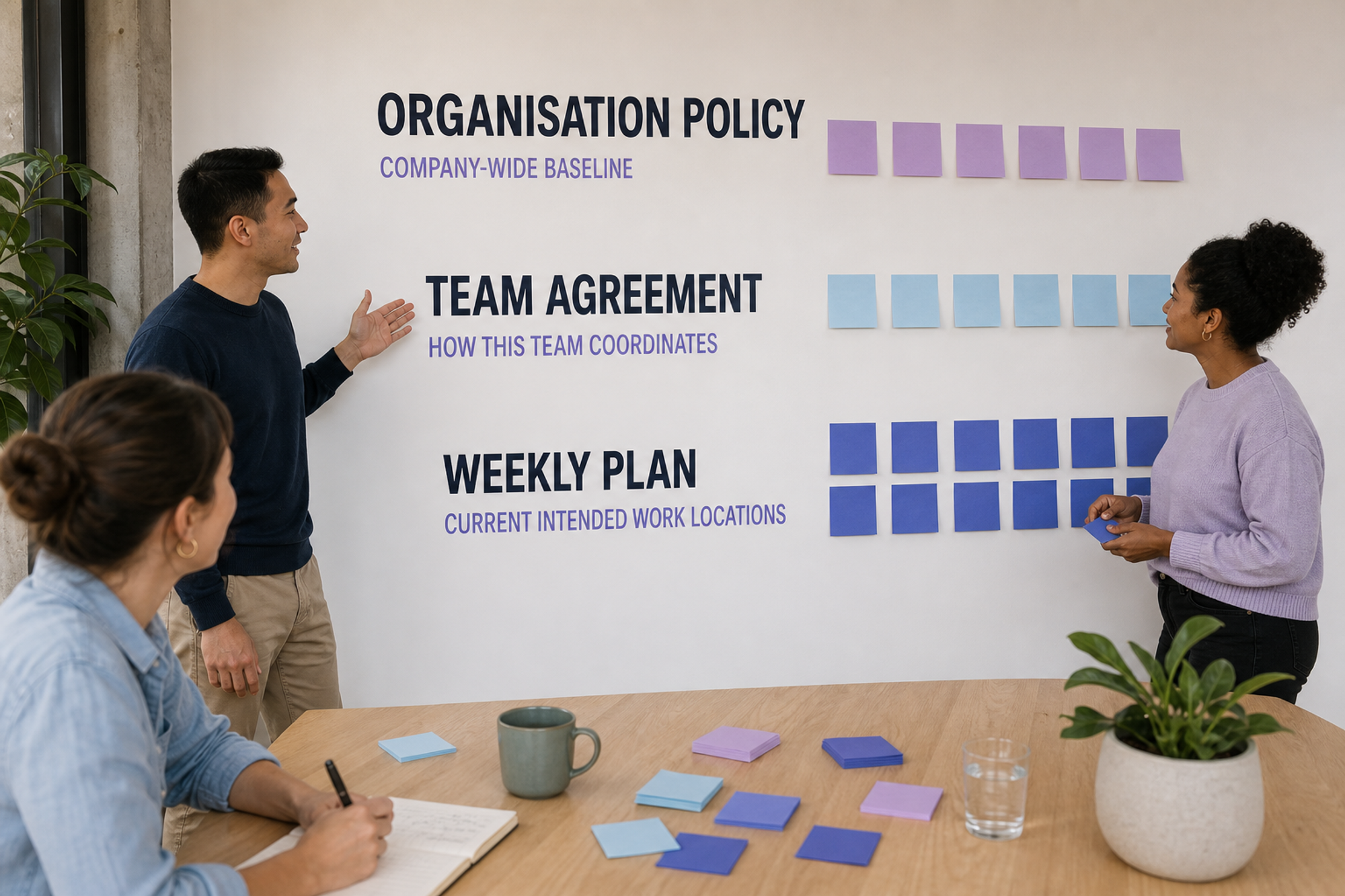
The diagram shows the organisation policy as the top layer, the team agreement as the central operating layer, and the current weekly plan below it. The layers connect, but they answer different questions.
The 12 decisions to make
The NSW team agreement guide asks teams to consider different modes of work, including in-person collaboration, virtual collaboration, focused work in the office, and focused work elsewhere. The 12 decisions below turn that broad conversation into a document people can use.
1. Purpose and scope
Name the team, the locations covered, and the coordination problem the agreement should solve. A useful purpose is specific enough to test, such as reducing uncertain office trips, protecting focus time, or bringing a project group together for high-value work.
Write: “This agreement helps [team] coordinate [locations and time] so we can [practical outcome]. It applies from [date] and sits within [policy or arrangement].”
2. What office time is for
List the two to four activities that are most useful when the relevant people share a place. Examples include onboarding, design critique, planning around ambiguous work, equipment-dependent tasks, or a workshop with a cross-functional partner. Do not turn “collaboration” into an all-purpose answer.
If the team has not yet chosen its best overlap day, use the office-day overlap worksheet to compare availability, collaboration dependencies, and capacity before recording a baseline.
3. The usual location pattern
Record any fixed office day, flexible office window, location-specific rotation, or absence of a fixed pattern. Separate conditions set by policy from choices the team is allowed to change. That makes future review honest and prevents the team document from quietly rewriting a formal arrangement.
Write: “Our usual pattern is [pattern]. The team can change [choices]. Changes to [formal conditions] follow [approved process].”
4. Weekly location visibility
Choose one shared place for the current plan and one deadline for updating the coming week. Record the office location as well as the day when several workplaces are possible. The view should answer “who plans to be where?” without requiring a search across calendars, direct messages, and chat threads.
Microsoft documents that people can share daily work location in Teams and set a recurring work plan through Outlook. Slack teams can use the Slack office attendance tracker guide to compare a recurring message, a workflow, and a purpose-built shared roster.
5. Changes and exceptions
Plans change. State how someone updates a day, which view becomes the current source of truth, and what happens when a late change affects a workshop, room, or dependent colleague. The shared update needs the changed plan and any operational impact. It does not need a personal explanation.
Write: “Update [shared view] as soon as the plan changes. Contact [owner or affected people] only when the change affects [named dependency]. Use [private route] for sensitive circumstances.”
6. Collaboration windows
Name any period when teammates should normally be reachable for shared work, including the time zone. Keep the window no broader than the work requires. Also state what happens for part-time schedules, cross-time-zone colleagues, customer-facing duties, and people whose agreed hours sit outside the common window.
Write: “Our normal collaboration window is [time and zone] on [days]. Outside it, work is asynchronous unless [defined urgent condition] applies.”
7. Communication channels
Assign a purpose to each channel instead of listing every tool. A simple agreement distinguishes urgent coordination, ordinary team discussion, durable project information, and decisions. Add a response expectation only when the work truly depends on one.
- Urgent: use [channel] and name the needed response time.
- Routine: use [channel] and assume asynchronous reading.
- Durable: store decisions, owners, and deadlines in [system].
8. Meeting participation
Decide which sessions benefit from everyone sharing a room, which should be fully remote, and how mixed-location meetings will include remote participants. Name the basic practice: a join link, audible room setup, an agenda, a chat owner, and written decisions. Keep the agreement about access to the work, not camera policing.
Write: “For mixed-location meetings, the organiser provides [access practice]. The facilitator records decisions in [place] by [time].”
9. Decisions and documentation
Choose where a decision becomes official and what minimum context gets recorded. A chat message can start a decision, but a newcomer or absent teammate needs the outcome, owner, date, and next action in a durable place.
Write: “A decision is final when [condition]. Record the outcome, owner, date, and next action in [system].”
10. Shared space and capacity
Record the operational constraints that can invalidate an otherwise good office day: desk availability, room capacity, equipment, accessibility, office opening times, visitor requirements, or a location-specific event. Treat these as visible guardrails, not assumptions discovered after people commute.
Write: “Before confirming a shared office session, [owner] checks [rooms, desks, equipment, access, and location]. If a guardrail fails, use [fallback].”
11. Focus time and boundaries
Protect periods for concentrated work and state how interruptions should be handled. A hybrid agreement should make it possible to know when someone is reachable without implying constant availability. Include the normal route for urgent work and the expected boundary around local working hours.
Write: “Protect [blocks] for focused work. Use [route] only for [urgent condition]. No response is expected outside [agreed hours or on-call arrangement].”
12. Ownership and review
Name one owner who keeps the document findable, collects proposed changes, and schedules review. The owner is a steward, not the sole decision-maker. Choose a review date and event-based triggers, such as a team restructure, office move, new cross-functional dependency, or repeated failure of one rule.
The New Zealand flexible work guidance recommends that teams record norms covering location visibility, reachability, regular and urgent communication, and review. A first review after four to six weeks is a practical Officedays recommendation, not a research benchmark.
Copy-and-use hybrid work team agreement template
Copy the fields below into a shared document. Replace every bracketed prompt, remove sections that do not apply, and keep the finished version short enough to scan during the week.
Hybrid work team agreement
- Team: [name and locations]
- Purpose: [coordination problem and desired outcome]
- Policy boundary: [policy or arrangement this sits within]
- Effective date: [date]
- Owner and review date: [name and date]
Office pattern and weekly plan
- Usual pattern: [fixed, flexible, rotating, or no fixed day]
- In-person purpose: [two to four activities]
- Weekly visibility: update [shared view] by [deadline and time zone] for [date range].
- Locations: record [office or site names].
- Changes: update [source of truth] and alert [affected people] when [dependency] changes.
- Private exceptions: use [private route]; no personal explanation is required in the shared view.
Collaboration and communication
- Collaboration window: [times, days, and time zone]
- Urgent channel: [channel and response expectation]
- Routine channel: [channel and asynchronous expectation]
- Decision record: [system, minimum fields, and deadline]
- Mixed-location meetings: [join, facilitation, chat, and written-decision practices]
- Focus time: [protected blocks and interruption rule]
Space, review, and change
- Capacity guardrails: [desks, rooms, equipment, access, opening times, and fallback]
- Success signs: [two or three observable coordination outcomes]
- Review triggers: [date and events that require an earlier review]
- Change process: [how the team proposes, agrees, records, and communicates a change]
Run a 45-minute agreement workshop
The public NSW guide provides a 60-minute team conversation model. This compressed Officedays agenda is for teams that already know their policy boundaries. If the discussion exposes unresolved formal conditions or individual arrangements, record the question and route it to the appropriate owner instead of improvising an answer in the workshop.
- 0–5 minutes: set the frame. State the purpose, policy boundaries, decisions the team can make, and where sensitive matters should go.
- 5–12 minutes: collect silent input. Ask everyone to write one friction point, one practice worth keeping, and one activity that benefits from shared office time.
- 12–22 minutes: group the themes. Cluster similar inputs under schedule, visibility, communication, meetings, space, and exceptions. Mark disagreements without forcing a quick vote.
- 22–35 minutes: draft the minimum rules. Complete the 12 decisions with one or two sentences each. Prefer observable actions and named places over broad values.
- 35–41 minutes: pressure-test the draft. Walk through ordinary changes, mixed-location meetings, a capacity problem, and an unavailable teammate.
- 41–45 minutes: commit to a trial. Confirm the owner, source of truth, review date, and how anyone can propose a change.
Pressure-test five ordinary situations
A useful agreement should answer these situations without an improvised manager ruling:
- Someone changes a planned office day on the morning of a team workshop.
- A new teammate needs recurring overlap with an onboarding partner.
- Two teams choose the same office day and the available rooms are full.
- One participant joins remotely while most of the meeting is in one room.
- A person needs an exception but should not disclose the reason to the whole team.
For each situation, identify the action, the place it is recorded, the people who need an alert, and the private escalation route. If the document cannot answer those four points, revise the relevant decision.
Worked example: a product team
This example is fictional and exists only to show the level of specificity a useful agreement needs. It is not Officedays customer data or a reported workplace result.
- Purpose: coordinate high-ambiguity product work and make office trips predictable for the Sydney product team.
- Usual pattern: Tuesday is the preferred overlap day. Other office days remain flexible within company policy.
- In-person purpose: onboarding, design critique, quarterly planning, and decisions that require several functions in the same conversation.
- Weekly plan: everyone updates the shared Slack roster by Thursday at 3 p.m. for the following week and changes their own selection when plans move.
- Communication: routine work stays asynchronous in the project channel; urgent operational messages name the response deadline; final decisions go in the project record.
- Meetings: mixed-location sessions include a join link, a facilitator, a person watching chat, and a written decision note.
- Exceptions: the shared roster shows only the changed plan. Sensitive circumstances go privately to the team lead or the relevant People process.
- Review: the product operations lead gathers friction for four weeks, then the team keeps, changes, or removes each rule.
Keep planning separate from attendance enforcement
A weekly location plan records intent. It is not proof of physical presence, time worked, performance, or policy compliance. State that boundary in the agreement so a coordination tool does not quietly become a surveillance system.
Collect only what teammates need to coordinate. Keep health information, caregiving details, accommodations, and other sensitive explanations out of a shared roster. Use the organisation’s private and appropriately reviewed process when an exception affects a formal condition.
Review the agreement without restarting everything
Both the NSW guide and UBC toolkit treat team norms as revisable. At review, examine each rule rather than reopening the entire hybrid-work debate:
- Keep a rule when people can follow it and it improves a named coordination outcome.
- Change a rule when the intent is useful but the timing, owner, channel, or wording creates friction.
- Remove a rule when nobody uses it, it duplicates policy, or it collects information without changing a decision.
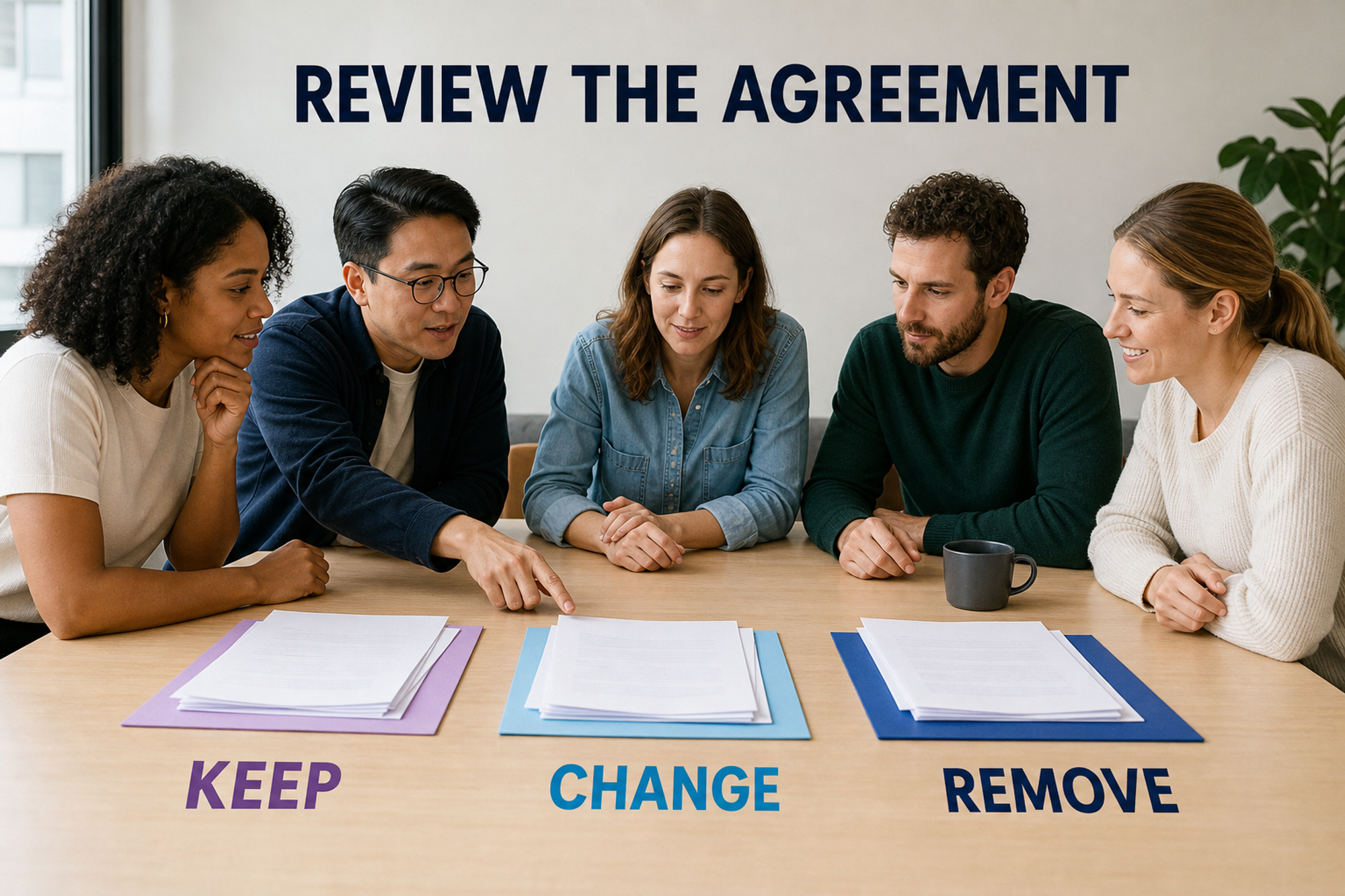
The illustration depicts a loop from weekly planning to shared work, communication, location choice, review, and back to the next plan. It contains no statistics or performance data.
Make the weekly plan visible in Slack
Once the agreement names who updates what, where, and by when, Officedays can keep planned office days visible inside Slack. The Officedays support guide documents current-week and next-week commands, scheduled messages, weekday toggles that update the shared view, and separate channels for different offices or teams.
Use that roster as a planning view, not as proof of presence. If a lightweight Slack workflow fits the agreement, review the current plans and pricing and start with the smallest setup that keeps the weekly plan current.
Sources and methodology
This article was checked on July 17, 2026. It synthesises public institutional guidance and first-party product documentation into an Officedays operating template. It uses no survey statistics, customer results, search-volume estimates, or claims that the 12 decisions or 45-minute agenda are scientifically validated. The template and agenda are practical Officedays frameworks.
- NSW Government, “Healthy Hybrid Habits: Team Agreement Conversation Guide”. PDF path dated December 2022; Australian workplace conversation guide; no study sample. Used for work-mode prompts, team consultation, visibility, and iterative review; accessed July 17, 2026.
- UBC Faculty of Medicine, “Hybrid Work & Communication Toolkit”. Publication date not shown; Canadian university toolkit; no study sample. Used for revisable norms, collaborative drafting, and team-specific adaptation; accessed July 17, 2026.
- New Zealand Public Service Commission flexible work guidance. Published December 12, 2024; official New Zealand public-service guidance; no study sample. Used for location visibility, reachability, communication, and review fields; accessed July 17, 2026.
- Microsoft Learn, “User work location in Teams”. Updated May 23, 2025; first-party product documentation; geography and sample size not applicable. Used for recurring work plans and shared daily location visibility; accessed July 17, 2026.
- Officedays support and pricing documentation. Publication date not shown; first-party product documentation; geography and sample size not applicable. Used for current commands, scheduled prompts, toggles, multiple-channel use, and plan details; accessed July 17, 2026.